DYMO ID Help
Selecting Objects
You can select one or more objects on the label in several ways.
To select a single object
-
Click the left or right directional arrows in the Select object tool.
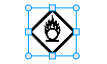
The object selected is highlighted on the label.
To select multiple objects at the same time
-
Do one of the following:
- Shift-click on each object to select.
- Drag the cursor over the label to select all the objects on the label.
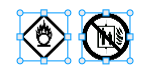
The objects selected are highlighted on the label.
See Also
Was this topic helpful? Send us your feedback

©2015-2026 Sanford, L.P.
Revised: 09/2026