DYMO ID Help
Moving an Object
You can move an object anywhere within the printable area of the label.
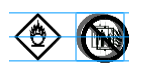
When moving one object on a label that contains more than one object, guidelines will appear showing the object's relative position to the other objects on the label.
- To set a specific position on the label, right click the object and enter specific x,y coordinates under Position.
To move an object
- Select the object.
-
Hover over the object until the
 cursor appears.
 For text boxes, hover over the border.
-
Drag the object to a new location on the label.
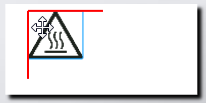
A red border will appear when the object has reached the label margins.
See Also
Was this topic helpful? Send us your feedback

©2015-2026 Sanford, L.P.
Revised: 09/2026